
Artisan Tinker in your browser



Artisan's tinker command is a great way to tinker with your application in the terminal. Unfortunately running a few lines of code, making edits, and copy/pasting code can be bothersome. Wouldn't it be great to tinker in the browser?
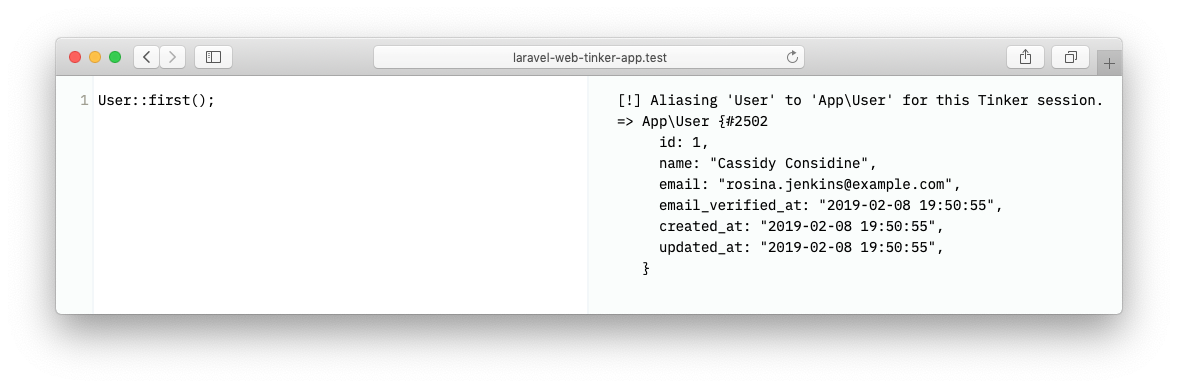
This package will add a route to your application where you can tinker to your heart's content.
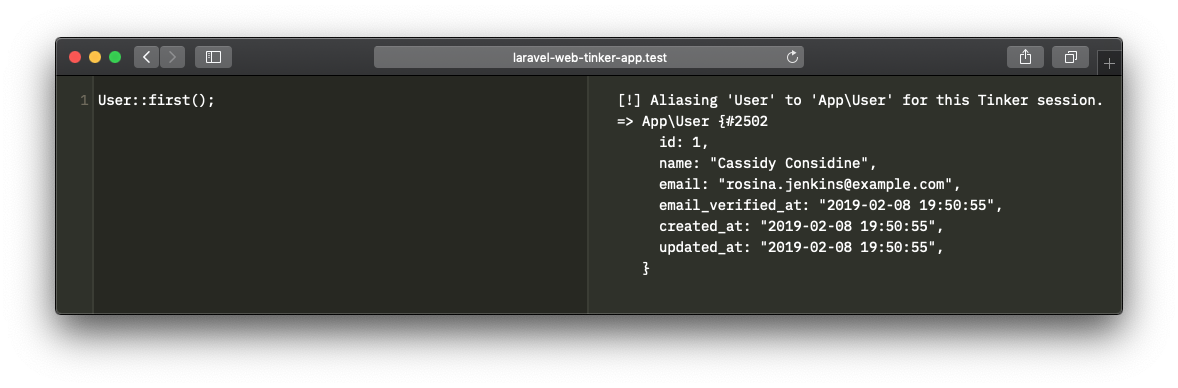
In case light hurts your eyes, there's a dark mode too.
Support us

We invest a lot of resources into creating best in class open source packages. You can support us by buying one of our paid products.
We highly appreciate you sending us a postcard from your hometown, mentioning which of our package(s) you are using. You'll find our address on our contact page. We publish all received postcards on our virtual postcard wall.
🚨 A word to the wise 🚨
This package can run arbitrary code. Unless you know what you are doing, you should never install or use this in a production environment, or any environment where you handle real world data.
Installation
This package requires PHP 8.2+ and Laravel 12 or 13 (Laravel 13 requires PHP 8.3+).
You can install the package via composer:
composer require spatie/laravel-web-tinker --dev
Next, you must publish the assets from this package by running this command.
php artisan web-tinker:install
Optionally, you can publish the config file of the package.
php artisan vendor:publish --provider="Spatie\WebTinker\WebTinkerServiceProvider" --tag="config"
This is the content that will be published to config/web-tinker.php
return [

    /*
     * The web tinker page will be available on this path.
     */
    'path' => '/tinker',

    /*
     * Possible values are 'auto', 'light' and 'dark'.
     */
    'theme' => 'auto',

    /*
     * By default this package will only run in local development.
     * Do not change this, unless you know what your are doing.
     */
    'enabled' => env('APP_ENV') === 'local',

   /*
    * This class can modify the output returned by Tinker. You can replace this with
    * any class that implements \Spatie\WebTinker\OutputModifiers\OutputModifier.
    */
    'output_modifier' => \Spatie\WebTinker\OutputModifiers\PrefixDateTime::class,

    /*
    * These middleware will be assigned to every WebTinker route, giving you the chance
    * to add your own middlewares to this list or change any of the existing middleware.
    */
    'middleware' => [
        Illuminate\Cookie\Middleware\EncryptCookies::class,
        Illuminate\Session\Middleware\StartSession::class,
        Spatie\WebTinker\Http\Middleware\Authorize::class,
    ],

    /*
     * If you want to fine-tune PsySH configuration specify
     * configuration file name, relative to the root of your
     * application directory.
     */
    'config_file' => env('PSYSH_CONFIG', null),
];
Usage
By default this package will only run in a local environment.
Visit /tinker in your local environment of your app to view the tinker page.
Authorization
Should you want to run this in another environment (we do not recommend this), there are two steps you must perform.
- You must register a
viewWebTinkerability. A good place to do this is in theAuthServiceProviderthat ships with Laravel.
public function boot()
{
    $this->registerPolicies();

    Gate::define('viewWebTinker', function ($user = null) {
        // return true if access to web tinker is allowed
    });
}
- You must set the
enabledvariable in theweb-tinkerconfig file totrue.
Autocompletion
The editor completes as you type, and on Ctrl+Space. Every suggestion is produced by inspecting your code — nothing in the snippet is executed to work out what fits.
Reflection can still invoke registered autoloaders to load class definitions. Completion is not a sandbox for untrusted PHP or autoloaders, and uses the same authorization as code execution.
Parsing, context detection and candidate collection are PsySH's own
CompletionEngine,
so the browser and the CLI shell agree about what belongs where. What is added
here is what a browser needs and a readline prompt does not — where the
replacement starts and what kind of thing each suggestion is — plus the sources
below, registered into that engine.
| What you type | What you get |
|---|---|
new Use |
classes, interfaces, traits and enums, matched on the short or fully qualified name |
$user-> |
the members of $user, including the columns and relations a model documents with @property |
User:: |
static methods, constants and static properties |
env("APP_ |
environment variable names |
config("database. |
configuration keys, groups as well as leaves |
str_re |
functions, constants and keywords, via PsySH's own matchers |
Accepting a method inserts the call and leaves the caret between the parentheses.
Only names ever reach the browser. The value behind an env or config key is never sent.
How a variable's type is found
PsySH answers this from the shell's context: it looks the variable up and reflects on the object it finds. Run from a browser there is no such object — every request builds a fresh shell that has evaluated nothing — so the type is read out of the code instead and handed to the engine before its member sources run:
$user = User::first();      // Eloquent's static forwards
$user = new User;           // constructors
$user = app(User::class);   // the container
$user = $repo->findUser();  // declared and @return-annotated return types
/** @var User $user */      // an annotation, when all else fails
$user->…
Chains are followed link by link, through properties as well as calls, and can start from a static call with no variable in between:
Company::getById(1)->individuals->first()->…
Every step has to say what it returns, natively or in a docblock. A static
method with neither — public static function getById($id) with no @return —
resolves to nothing, and the list stays empty rather than guessing. The one
exception is Eloquent's own static forwards (first, find, create, …),
which are __callStatic and so have nothing to reflect on at all.
Because the analysis is a real parse, arguments, ?->, ternaries and
multi-line snippets all cost nothing extra. And a type the shell already
knows is always left alone: a real object beats anything inferred from source.
Eloquent models
A model's columns and relations exist only at runtime — $company->individuals
goes through __get, and reflection will never find it. What does describe
them is the annotation block above the class, so that is what gets read:
/**
 * @property string                  $site_description
 * @property Individual[]|Collection $individuals
 *
 * @method static Builder active()
 */
class Company extends Model
@property, @property-read, @property-write and @method are all
understood, inherited annotations included, and documented members are offered
before the two hundred methods a model inherits.
@property names come from PsySH's own docblock sources. Resolving them to a
type — needed to carry on down a chain — is done here: short names in an
annotation are resolved against the use statements of the file the annotation
was written in, so Collection means the collection that file imported. A union like Individual[]|Collection describes the value twice
— collection and element — and both are kept, which is what lets
$company->individuals->first()->email land on the individual. Generic
annotations (Collection<int, Individual>) work the same way.
Where class names come from
PsySH's symbol catalog is built from get_declared_classes(), which is the
right answer in a long-running shell but in a web request is whatever the
framework happened to autoload on the way to the page. This package registers
an index alongside it: Composer's classmap, a scan of your own PSR-4 roots
(reading the namespace and class declared in each file, so global-namespace
classes are indexed correctly), and the registered facade aliases.
The scan is cached for completion.cache_ttl seconds and re-keyed on every
composer dump-autoload. Set the TTL to 0 while working on the index itself.
// config/web-tinker.php
'completion' => [
    'enabled' => env('WEB_TINKER_COMPLETION_ENABLED', true),
    'limit' => 100,
    'cache_ttl' => 300,
],
Set WEB_TINKER_COMPLETION_ENABLED=false to turn the whole feature off: the
endpoint then returns nothing and the editor stops asking.
Updating an existing installation
This feature requires PHP 8.2+, Laravel 12 or 13, and PsySH 0.12.24+. Laravel 13 requires PHP 8.3+. Older Laravel applications can continue using 1.10.x.
Republish the assets after updating:
php artisan vendor:publish --tag=web-tinker-assets --force
If you have published or customized the Blade view, add the completion props
from resources/views/web-tinker.blade.php to enable suggestions. Old views
continue to support execution without autocompletion.
Rich output
After upgrading, run php artisan web-tinker:install to refresh the published
assets. If you have published the Blade view, update it from the package too.
Results render as VarDumper markup: real types, collapsible nodes, and Laravel's own casters for models and collections. Anything the snippet echoed is shown above the value it returned, and a thrown exception is rendered rather than swallowed.
Depth and size limits keep a dump of something enormous from reaching the browser:
// config/web-tinker.php
'dump' => [
    'enabled' => env('WEB_TINKER_RICH_OUTPUT_ENABLED', true),
    'max_depth' => 6,
    'max_items' => 250,
    'max_string_length' => 2500,
],
Set WEB_TINKER_RICH_OUTPUT_ENABLED=false and every result comes back as
PsySH's plain text, whatever a request asks for.
The browser asks for this format explicitly. A request that does not — a script
or test suite posting to the endpoint — gets the plain text it always got, so
nothing built against the response format breaks. Change the default with
output_format if you want HTML everywhere.
Modifying the output
You can modify the output of tinker by specifying an output modifier in the output_modifier key of the web-tinker config file. An output modifier is any class that implements \Spatie\WebTinker\OutputModifiers\OutputModifier.
This is how that interface looks like.
namespace Spatie\WebTinker\OutputModifiers;

interface OutputModifier
{
    public function modify(string $output = ''): string;
}
The default install of this package will use the PrefixDataTime output modifier which prefixes the output from Tinker with the current date time.
Testing
composer test
For frontend development, use Node.js 22.12+ and npm:
npm ci
npm run production
npx playwright install chromium
npm test
The browser tests run the built assets against a disposable Testbench application.
npm run watch rebuilds the assets on changes. Vite produces the same public/app.js,
public/app.css, and public/mix-manifest.json consumed by the package's Blade view;
your application does not need a Vite integration.
Changelog
Please see CHANGELOG for more information on what has changed recently.
Contributing
Please see CONTRIBUTING for details.
Security
If you've found a bug regarding security please mail security@spatie.be instead of using the issue tracker.
Credits
This package was inspired by and uses code from the nova-tinker-tool package by Marcel Pociot.
License
The MIT License (MIT). Please see License File for more information.