

An open-source, self-hosted identity and access management platform
Casdoor is a single sign-on (SSO) and authentication server with a web console.
It speaks OAuth 2.0, OIDC, SAML 2.0, CAS, LDAP, SCIM 2.0, WebAuthn, TOTP/MFA and MCP,
and connects to Google Workspace, Microsoft Entra ID (Azure AD), GitHub and many other identity providers.
Website · Documentation · Live demo · Discord


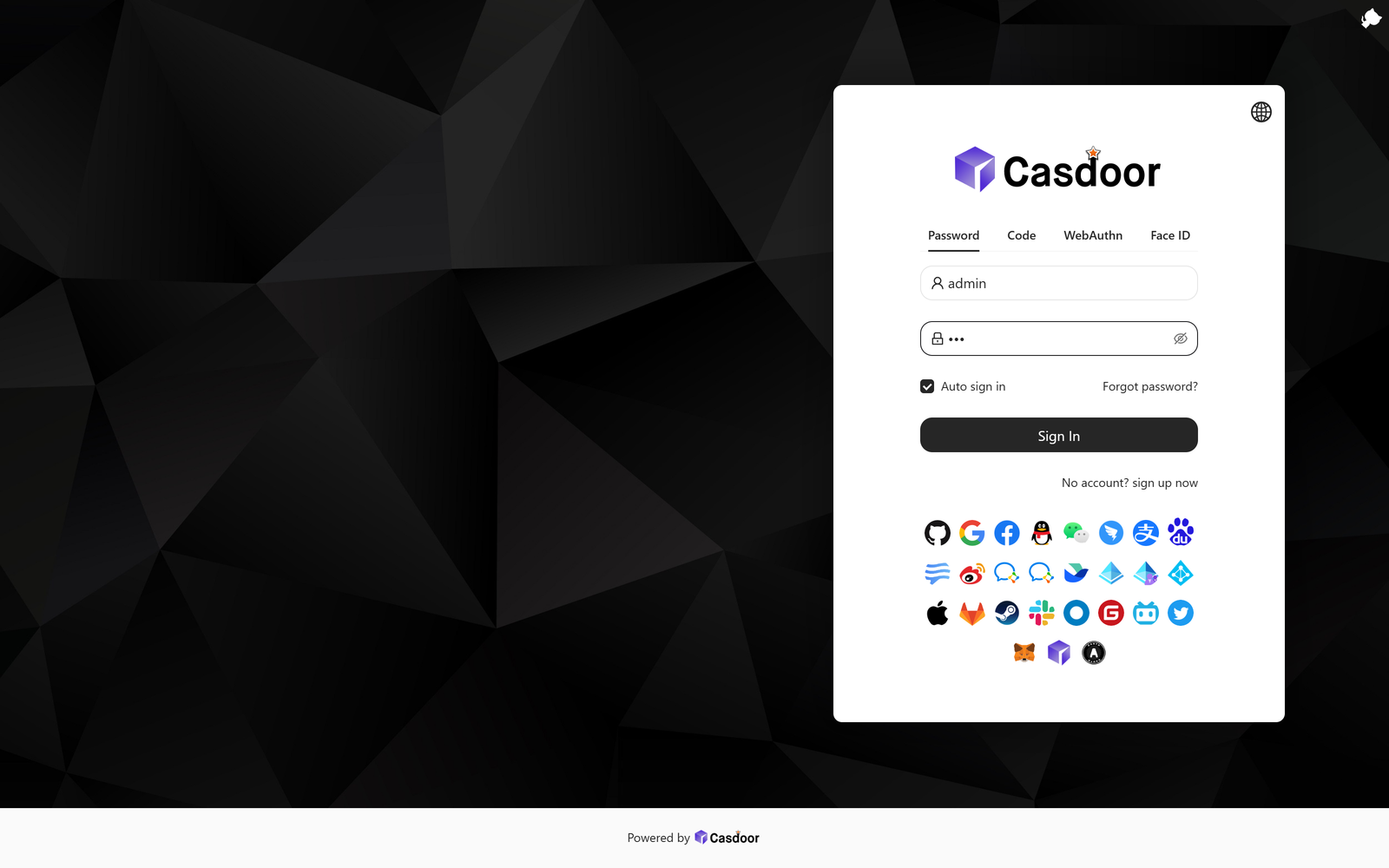
The sign-in page your users see: password, email/SMS code, WebAuthn and Face ID, plus every social provider you enable.
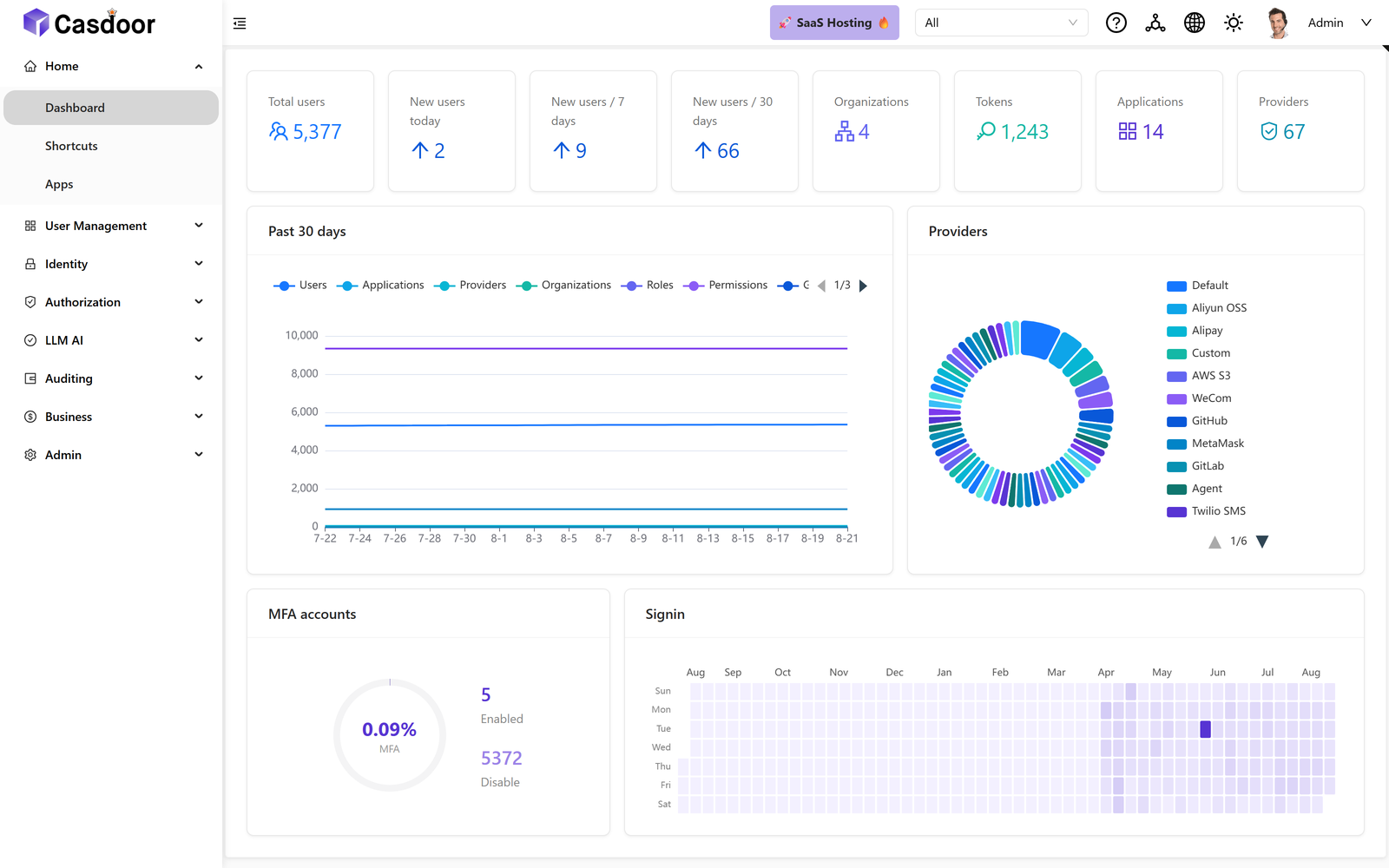 Admin console. Users, tokens, organizations and providers at a glance.
|
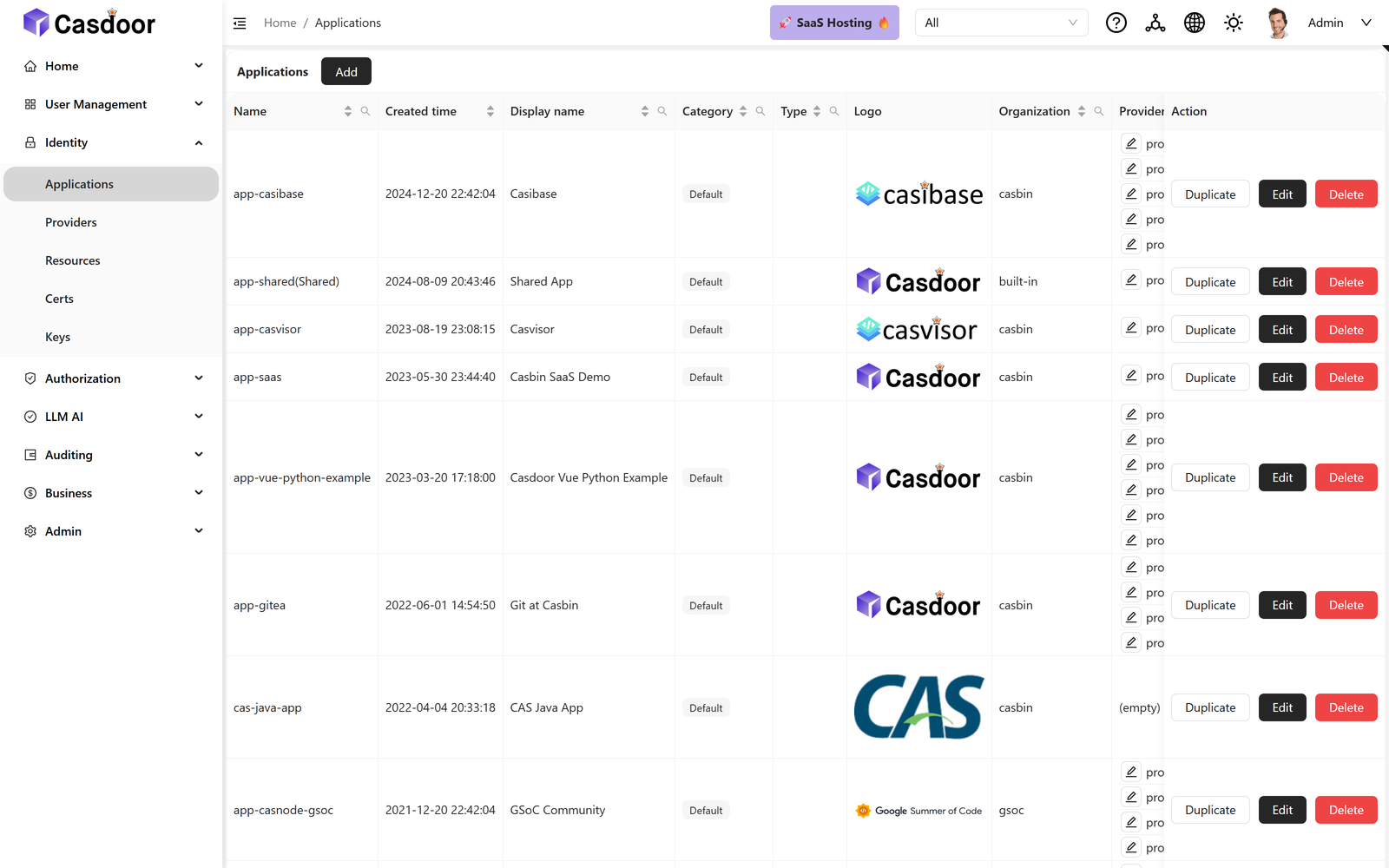 Applications. Every app that delegates login to Casdoor, across all organizations.
|
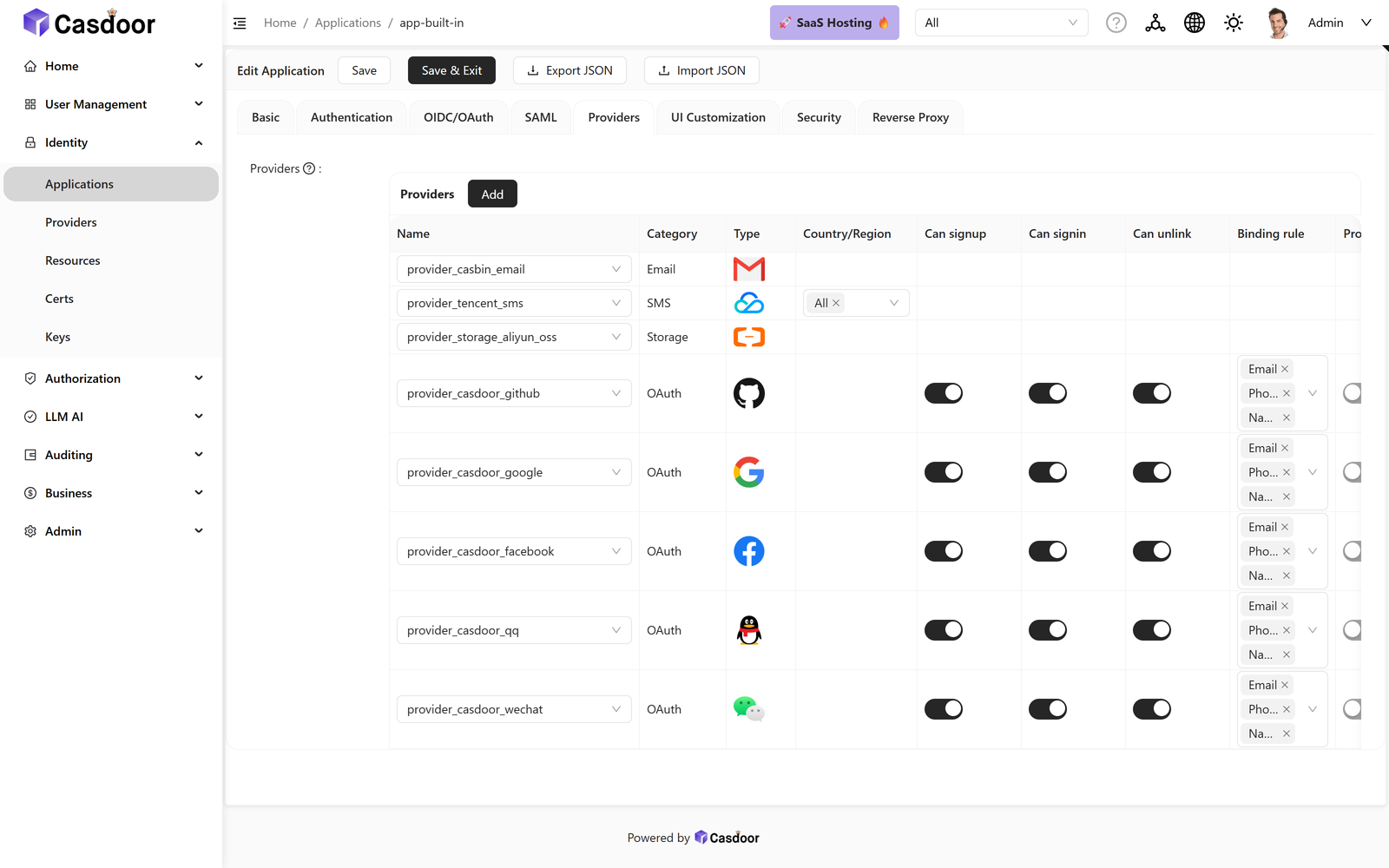 Application settings. OAuth, SAML, providers and branding — no redeploy, no config file.
|
❤️ Sponsors

|
Thanks to APIMart for sponsoring this project! APIMart is a low-cost API platform for AI image & video generation — GPT-Image-2 from $0.006/image, 160+ images per dollar. One async API covers both image and video: submit a task, get an ID, fetch results via polling or callback. Batch tens of thousands of images without timeouts, switch models without changing code. Pay-as-you-go with no monthly fee — sign up here to get started. |
🚀 Try it in 30 seconds
No database and no config file needed. This runs Casdoor on SQLite with sample data:
docker run -p 8000:8000 casbin/casdoor-all-in-one
Open http://localhost:8000 and sign in:
| Field | Value |
|---|---|
| Organization | built-in |
| Username | admin |
| Password | 123 |
The sign-in form has separate organization and username fields. Docs sometimes write this pair as
built-in/admin— that is the same thing, not a username containing a slash.
Prefer not to install anything? Use the hosted demos:
| Demo | URL | Notes |
|---|---|---|
| Writable | demo.casdoor.com | Full access, so you can click through everything. All data resets about every 5 minutes. |
| Read-only | door.casdoor.net | Stable global demo. Every write operation fails by design. |
Both accept the same built-in / admin / 123 credentials.
🤔 Why Casdoor
Casdoor is a complete identity provider, not an authentication proxy and not a library you embed. It stores your users, issues the tokens, and gives you an admin console to manage all of it — so your applications can delegate login entirely and never handle a password themselves.
- One server, many protocols. The same user directory is reachable over OAuth 2.0, OIDC, SAML 2.0, CAS, LDAP and SCIM, so a modern SPA and a legacy CAS-only app can share one set of accounts.
- Everything is editable in the UI. Organizations, applications, providers, sign-in methods, email and SMS templates, and login-page branding are configured in the web console instead of in files you have to redeploy.
- Policy-based authorization built in. Access rules are expressed with Casbin — ACL, RBAC, ABAC and custom models — rather than a fixed permission scheme.
- Straightforward to self-host. A single Go binary plus a database. No JVM, no operator, no cluster required.
If all you need is a login screen in front of an existing reverse proxy, a smaller tool may suit you better. Casdoor is for when you want to own the user directory itself.
📦 Installation
Four supported paths, fastest first. All of them end up at http://localhost:8000.
Docker — all-in-one (evaluation)
docker run -p 8000:8000 casbin/casdoor-all-in-one
Bundles SQLite and demo data into a single container. Ideal for a first look, but not intended for production: the data lives inside the container and disappears with it.
Guide: Try with Docker
Docker Compose — Casdoor with MySQL
docker-compose.yml starts Casdoor next to a MySQL 8 container.
Two things to know before running it:
- Compose builds the image from source (Go backend plus React frontend). The first
docker compose uptakes several minutes, so it is not the quick-trial path — use the all-in-one image above for that.- You have to point Casdoor at the bundled database first.
Set the MySQL settings in conf/app.conf to match the db service:
driverName = mysql
dataSourceName = root:123456@tcp(localhost:3306)/
dbName = casdoor
Use localhost here even though MySQL runs in a separate container: the compose file sets RUNNING_IN_DOCKER=true, and Casdoor rewrites localhost to the Docker host address at startup (see conf/conf.go). Then start everything:
docker compose up
The compose entrypoint already passes --createDatabase=true, so the casdoor database is created for you.
Guide: Try with Docker
Kubernetes — Helm
Requires Helm v3 and a running cluster:
helm install casdoor oci://registry-1.docker.io/casbin/casdoor-helm-charts
The chart does not expose Casdoor outside the cluster by default. To reach it, find the service and forward a port:
kubectl get svc
kubectl port-forward svc/<service-name-from-above> 8000:8000
For a real deployment, configure an Ingress and an external database through the chart's values. k8s.yaml in this repo is a minimal plain-manifest example if you would rather not use Helm.
Guide: Try with Helm
From source — for development
Use this if you intend to modify Casdoor. Prerequisites: Go 1.25+ (see go.mod), Node.js 20 LTS, Yarn 1.x, and a supported database (MySQL, PostgreSQL, SQLite, SQL Server and others).
git clone https://github.com/casdoor/casdoor.git
cd casdoor
Set driverName, dataSourceName and dbName in conf/app.conf. For MySQL, create the casdoor database first, or start the server with --createDatabase=true. Then build the frontend and run the server:
cd web && yarn install && yarn build && cd .. && go run main.go
While working on the frontend, run yarn start in web/ instead of yarn build to get hot reload on port 7001, with go run main.go serving the API from a second terminal.
Guide: Server installation
👉 After you sign in
At this point you have a running identity provider with nothing connected to it yet. Next:
- Change the
adminpassword.123is a demo credential and must not survive contact with production. - Connect your first application — create an Application in the console, copy its Client ID and Client Secret, and point your app's OAuth/OIDC client at Casdoor.
- Add an identity provider if you want Google, GitHub or Entra ID sign-in.
- Pick an SDK for your language, or call the Public API directly.
✨ Features
🔐 Authentication
- OAuth 2.0 / OIDC — full authorization server and OpenID Connect provider
- SAML 2.0 — enterprise SSO, as both IdP and SP
- CAS — Central Authentication Service for legacy applications
- LDAP — sync from a directory, or serve as one
- WebAuthn / passkeys — passwordless sign-in
- TOTP / MFA — multi-factor authentication, including email and SMS codes
- Face ID — biometric sign-in
🏢 Organizations and access control
- Multi-tenancy — independent organizations, each with its own users and branding
- RBAC and beyond — roles, permissions and Casbin policy models
- SCIM 2.0 — automated user provisioning and de-provisioning
- Social login — Google, GitHub, Entra ID (Azure AD) and many more
- Custom providers — plug in your own identity, email, SMS, storage or payment backends
- Audit logs — a record of sign-ins and administrative changes
🤖 AI and agents
- MCP gateway — expose Model Context Protocol servers and control access to them
- A2A — agent-to-agent communication support
🛠️ Developer experience
- REST API — every console action is also an API call
- SDKs — Go, Java, Python, Node.js, .NET, PHP, Rust and more
- Swagger UI — live API explorer
- Webhooks — push user and sign-in events into your own systems
- Customizable UI — theme the login page and console per organization
🧱 Technology stack
Casdoor is a frontend–backend separated application:
- Backend — Go with the Beego framework, exposing REST APIs (repository root)
- Frontend — React 18 with shadcn/ui on Tailwind CSS, built with Vite (
web/). The previous Ant Design console is kept for reference atweb-old/and is no longer built or served. - Database — MySQL, PostgreSQL, SQLite, SQL Server and others through XORM
- Cache — Redis, optional; needed if you run more than one Casdoor replica
📖 Documentation
The full documentation lives at casdoor.ai/docs. Common starting points:
| I want to… | Go to |
|---|---|
| Install Casdoor | From source · Docker · Helm |
| Connect my application | How to connect to Casdoor |
| Use the API | Public API · Swagger UI |
| Choose an SDK | Integrations |
| Deploy to production | Deployment |
🔌 SDKs and integrations
Official SDKs and framework integrations, by language:
- Go — casdoor-go-sdk
- Java — casdoor-java-sdk · Spring Boot starter
- Python — casdoor-python-sdk
- Node.js — casdoor-nodejs-sdk
- JavaScript — casdoor-js-sdk · React · Vue · Angular
- .NET — casdoor-dotnet-sdk
- PHP — casdoor-php-sdk
- Rust — casdoor-rust-sdk
The complete list, including reverse proxies and third-party applications, is in the Integrations documentation.
🔒 Security
Please do not report security vulnerabilities in public GitHub issues. Email admin@casdoor.org instead — SECURITY.md has the full policy and disclosure process.
Before exposing a Casdoor instance to the internet:
- Change the built-in
adminpassword. Never ship the demo credential123. - Serve Casdoor over HTTPS only, and set
origininconf/app.confto your public URL. - Review
conf/app.conffor values inherited from the sample file, especiallydataSourceNameand any provider secrets. - Set
runmode = prodand keepshowSql = falsein production.
🤝 Community and support
- Discord — join the community for questions and help
- GitHub Discussions — ask and search here
- GitHub Issues — bug reports and feature requests
- Commercial support — casdoor.ai/help
🌍 Contributing
Contributions are welcome. For anything larger than a small fix, please open an issue first so you can agree on the approach with the maintainers before writing code.
Read the contribution guidelines before you start.
Translations. User-facing strings in the web console go through i18next. When you add or change one under web/, update the English catalog at web/src/locales/en/data.json. The other languages are translated on Crowdin and should not be edited by hand.
🙌 Support Casdoor
Casdoor is free and open source. If it saves you time, consider supporting its development on Open Collective.


📄 License
Casdoor is licensed under the Apache License 2.0.
