pg_gather

Scan and collect the minimal amount of data needed to identify potential problems in your PostgreSQL database, and then generate an analysis report using that data. This project provides two SQL scripts:
gather.sql: Gathers performance and configuration data from PostgreSQL databases.gather_report.sql: Analyzes the collected data and generates detailed HTML reports.
Everything is SQL-only, leveraging the built-in features of psql, the command-line utility for PostgreSQL.
Minimum Requirements for Data Collection
PostgreSQL Server Versions: 10, 11, 12, 13, 14, 15, 16, 17, and 18.
(Older versions: For PostgreSQL 9.6 and older, please refer to the documentation page.)
Minimum PostgreSQL Client (psql) Version: 11
Minimum Requirements for Data Analysis
Collected data can be analyzed on PostgreSQL 16 or above, which supports the modern analytical functions required for reporting.
Highlights
- Secure and Transparent: Simple, fully auditable code. To ensure full transparency of what is collected, transmitted, and analyzed, we use an SQL-only data collection script that avoids complex control structures, improving readability and auditability.
- No Executables: No executables need to be deployed on the database host. Using executables in secured environments poses risks.
pg_gatherrequires only the standardpsqlcommand-line utility. - Authentication Agnostic: Any authentication mechanism supported by PostgreSQL works with
pg_gather. - Cross-Platform: Works on Linux (32/64-bit), Solaris, macOS, and Microsoft Windows.
- Architecture Agnostic: Works on x86-64, ARM, Sparc, Power, and other architectures.
- Auditable and Maskable Data:
pg_gathercollects data in Tab-Separated Values (TSV) format, making it easy to review and audit the information before sharing. Masking or trimming is also possible via simple steps. - Cloud and Container Compatible: Works with AWS RDS, Azure, Google Cloud SQL, on-premises databases, and more.
- Zero-Failure Design:
pg_gathercan generate a report from available information even if data collection is partial due to permission issues or unavailable views. - Low Overhead: Data collection is separate from analysis. This allows the collected data to be analyzed on an independent system, ensuring analysis queries do not impact your production system.
- Small Data Footprint:
pg_gatherminimizes redundancy to ensure the smallest possible file size, which can be further compressed withgzipfor easy transmission.
How to Use
1. Data Gathering
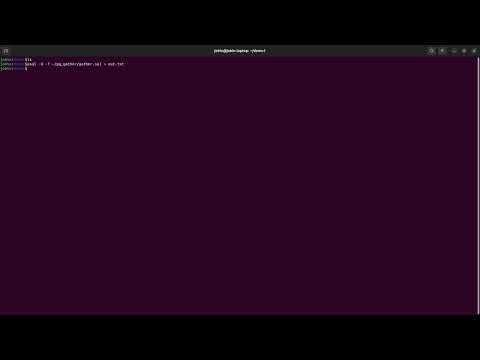
To gather configuration and performance information, run the gather.sql script against the database using psql:
psql <connection_parameters> -X -f gather.sql > out.tsv
OR pipe the output directly to a compression utility:
psql <connection_parameters> -X -f gather.sql | gzip > out.tsv.gz
Note: This script may take more than 20 seconds to run due to built-in delays. We recommend running the script as a user with superuser, rds_superuser, or the pg_monitor privilege.
Notes for Specific Environments:
- Heroku/DaaS: Some managed services impose high restrictions. Errors encountered when querying views like
pg_statisticscan be safely ignored. - Microsoft Windows: Use the
psql.exeincluded with your client tools (like pgAdmin). Example:"C:\Program Files\pgAdmin 4\v4\runtime\psql.exe" -h pghost -U postgres -f gather.sql > out.tsv - AWS Aurora: To handle Aurora-specific differences, you may need to replace incompatible lines in
gather.sqlwithNULLusingsed.sed -i -e 's/^CASE WHEN pg_is_in_recovery().*/NULL/' gather.sql - Docker: Since containers may lack
curlorwget, pipe the SQL file directly topsql:cat gather.sql | docker exec -i <container_id> psql -X -f - > out.tsv - Kubernetes: Use a similar approach to the Docker method:
cat gather.sql | kubectl exec -i <pg_pod_name> -- psql -X -f - > out.tsv
Continuous Data Collection
For requirements involving continuous or repeated data collection, pg_gather features a lightweight mode automatically enabled when connecting to the template1 database. See documentation for continuous collection.
2. Data Analysis
2.1 Importing Collected Data
Import the collected TSV file into a temporary or local PostgreSQL instance. This will create the required schema in the public schema.
CAUTION: Never import production data into a critical or production environment.
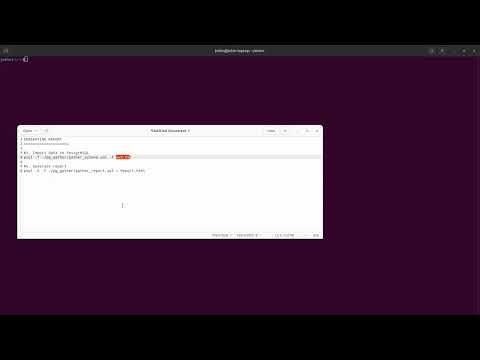
psql -f gather_schema.sql -f out.tsv
2.2 Generating the Report
Generate the HTML report from the imported data using the following command:
psql -X -f gather_report.sql > GatherReport.html
Open the resulting GatherReport.html in any web browser.
ANNEXURE 1: Using Docker and the Wrapper Script
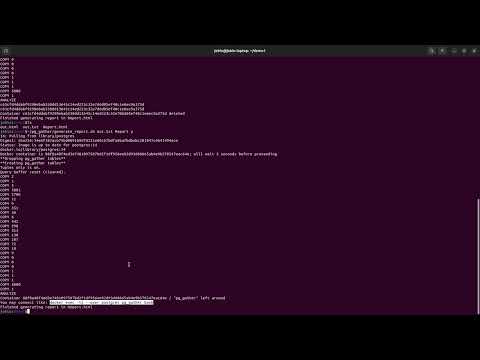
The data analysis process can be fully automated using the generate_report.sh script. This script spins up a temporary PostgreSQL Docker container, imports the data, and generates the report automatically.
Requirements: The script must be run in a directory containing gather_schema.sql and gather_report.sql.
Arguments:
- Path to the
out.tsvfile (Required). - Desired output path for the HTML report (Optional).
- A flag (
y/n) to determine whether to keep the Docker container after execution (Optional).
Examples
Example 1: Standard usage
$ ./generate_report.sh /tmp/out.tsv
...
Container 61fbc6d15c626b484bdf70352e94bbdb821971de1e00c6de774ca5cd460e8db3 deleted
Finished generating report in /tmp/out.html
Example 2: Custom output and keeping the container
$ ./generate_report.sh /tmp/out.tsv /tmp/custom-name.html y
...
Container df7b228a5a6a49586e5424e5fe7a2065d8be78e0ae3aa5cddd8658ee27f4790c kept around
Finished generating report in /tmp/custom-name.html
Advanced Configuration
Timezone
By default, the pg_gather report uses the log_timezone setting from the source database. This ensures that report timestamps align with your database logs.
To override this, set the PG_GATHER_TIMEZONE environment variable to a valid timezone name or abbreviation (e.g., UTC):
export PG_GATHER_TIMEZONE='UTC'
Demo
Data Collection
Simple Report Generation (1 min)
Report Generation via Docker (3 min)