
KDash - A fast and simple dashboard for Kubernetes











A simple terminal dashboard for Kubernetes built with Rust

Contents
- What's new in 2.0
- Installation
- Usage
- Keybindings
- Configuration
- Flags
- Limitations / Known issues
- Features
- Screenshots
What's new in 2.0
- Resource management actions let you act on what you're watching without leaving KDash: delete any resource (
Ctrl-d), edit any resource in your$EDITOR(e), rollout restart workloads (r), view previous container logs (p), scale workloads, and cordon nodes or suspend/resume/trigger CronJobs from a new action menu (m). Impactful actions are guarded by a confirmation prompt. - Port-forward a Pod or Service with
f, then list and stop active forwards withShift+F. Forwards run in the background and are stopped when you quit KDash. - Log view options toggle timestamps (
t) and line wrap (w) while viewing container logs. - More themes and runtime cycling added Gruvbox Dark, Solarized Dark, and Mono alongside Catppuccin Macchiato and Latte, switchable on the fly with
t/Alt+t, plus an optional custom theme. - Refreshed UI cleans up hints, headers, help, notifications, and gauges, lays the help page out in two columns, and adds a cluster summary pane to the utilization view.
Sponsors
Thanks to the sponsors of @deepu105 who makes maintaining projects like KDash sustainable. Consider sponsoring if you like the work.
Installation
Homebrew (Mac & Linux)
brew tap kdash-rs/kdash
brew install kdash

# If you need to be more specific, use:
brew install kdash-rs/kdash/kdash
To upgrade
brew upgrade kdash
Scoop (Windows - Recommended way)
scoop bucket add kdash-bucket https://github.com/kdash-rs/scoop-kdash

scoop install kdash
Chocolatey (Windows)
Chocolatey package is located here. Since validation of the package takes forever, it may take a long while to become available after a release. I would recommend using Scoop instead for Windows.
choco install kdash

# Version number may be required for newer releases, if available:
choco install kdash --version=2.1.1
To upgrade
choco upgrade kdash --version=2.1.1
Arch Linux (AUR)
KDash is on the AUR in two flavors. Install with an AUR helper like yay or paru:
# Prebuilt release binary (no compile)
yay -S kdash-bin

# Build from the released source
yay -S kdash

# Build from the latest git main
yay -S kdash-git
Cargo
If you have Cargo installed then you install KDash from crates.io
cargo install kdash

# if you face issues with k8s-openapi crate try the below
cargo install --locked kdash
You can also clone the repo and run cargo run or make to build and run the app
Nix (Maintained by third party)
Try out kdash via nix run nixpkgs#kdash or add kdash to your
configuration.nix for permanent installation.
Install script
The quickest way to grab the latest release binary without a package manager. The script downloads the right build for your platform and verifies it against the published SHA-256 checksum before installing.
Linux and macOS (installs to ~/.local/bin by default, no sudo needed):
curl -fsSL https://raw.githubusercontent.com/kdash-rs/kdash/main/scripts/install.sh | sh
Useful flags:
--version vX.Y.Z: install a specific release instead of the latest--prefix <dir>: install somewhere else, e.g.--prefix /usr/local/bin--quiet: only print errors
Pass flags through the pipe with sh -s --:
curl -fsSL https://raw.githubusercontent.com/kdash-rs/kdash/main/scripts/install.sh | sh -s -- --prefix ~/bin
Windows (installs to %LOCALAPPDATA%\Programs\kdash):
irm https://raw.githubusercontent.com/kdash-rs/kdash/main/scripts/install.ps1 | iex
To also append the install directory to your user PATH, run it with -AddToPath:
& ([scriptblock]::Create((irm https://raw.githubusercontent.com/kdash-rs/kdash/main/scripts/install.ps1))) -AddToPath
Note: The older
deployment/getLatest.shscript still works but is deprecated in favor ofinstall.sh, which adds checksum verification and--versionpinning.
Manual
Binaries for macOS (x86_64, arm64), Linux GNU/MUSL(x86_64, armv6, armv7, aarch64) and Windows (x86_64, aarch64) are available on the releases page
- Download the latest binary for your OS.
- For Linux/macOS:
cdto the file you just downloaded and runtar -C /usr/local/bin -xzf downloaded-file-name. Use sudo if required.- Run with
kdash
- For Windows:
- Use 7-Zip or TarTool to unpack the tar file.
- Run the executable file
kdash.exe
Docker
Run KDash as a Docker container by mounting your KUBECONFIG. For example the below command for the default path
docker run --rm -it -v ~/.kube/config:/root/.kube/config deepu105/kdash
# If you want localhost access from the container
docker run --network host --rm -it -v ~/.kube/config:/root/.kube/config deepu105/kdash
You can also clone this repo and run make docker to build a docker image locally and run it using the above command
Troubleshooting
Note: This may not work properly if you run Kubernetes locally using Minikube or Kind
Note: On Debian/Ubuntu you might need to install
libxcb-xfixes0-devandlibxcb-shape0-dev. On Fedoralibxcbandlibxcb-develwould be needed.
Note: On Linux you might need to have package
xorg-dev(Debian/Ubuntu) orxorg-x11-server-devel(Fedora) or equivalent installed for the copy to clipboard features to work
Note: If you are getting compilation error from openSSL. Make sure perl and perl-core are installed for your OS.
Usage
kdash
Press ? while running the app to see keybindings.
Keybindings
KDash is keyboard-driven. Press ? in the app for the full, always-current list (it also reflects any overrides from your config). The common keys:
Navigation
| Key | Action |
|---|---|
? |
Help page |
q / Ctrl-c |
Quit |
Esc |
Go back / close the current page |
↑ ↓ (or k j) |
Move selection / scroll |
← → (or h l) |
Switch resource tab |
PgUp PgDn / Home End |
Scroll a page / jump to top or bottom |
Tab / Shift+Tab |
Cycle main views forward / back |
Ctrl-h |
Reset navigation to the root view |
Enter |
Select row / drill into a resource |
/ |
Filter the current view |
Ctrl-r |
Refresh data |
1-0, - |
Jump straight to a resource tab |
t / Alt+t |
Cycle theme forward / back |
Resource actions
| Key | Action |
|---|---|
m |
Action menu for the selected resource |
d / y |
Describe / view YAML |
e |
Edit in $EDITOR |
Ctrl-d |
Delete (with confirmation) |
r |
Rollout restart a workload |
p |
Previous (restarted) container logs |
s |
Shell into the selected container |
f / Shift+F |
Port-forward / list and stop forwards |
Shift+L |
Aggregate logs across a workload's pods |
n / a |
Select namespace / all namespaces |
i |
Show or hide the info bar |
w |
Toggle wide view (show all columns) |
x |
Decode a secret |
c |
Copy output to the clipboard |
Log view
| Key | Action |
|---|---|
t |
Toggle timestamps |
w |
Toggle line wrap |
s |
Toggle auto-scroll |
Configuration
KDash supports config-based keybinding and theme overrides, plus a configurable default for historical log lines fetched before live streaming starts.
By default it reads config from:
~/.config/kdash/config.yaml
You can also point it at a specific file with:
KDASH_CONFIG=/path/to/config.yaml kdash
Themes
KDash ships five built-in themes — macchiato (default), latte, gruvbox-dark,
solarized-dark, and mono — plus an optional user-defined custom theme. Cycle
through them at runtime with t (next) and Alt+t (previous).
Pick the theme KDash starts on:
default_theme: gruvbox-dark # macchiato | latte | gruvbox-dark | solarized-dark | mono | custom
The semantic colour roles are: panel borders use primary (the focused panel's
border uses a brighter highlight tone), panel titles use secondary, inactive tabs
and help/hint text use muted, table column labels use label/blue, and body text
uses text. The title bar paints text in on_accent over the accent bar. Table
rows are coloured by status: healthy/active (e.g. pod Running, node Ready, bound
volumes) → success/green, finished (Completed/Succeeded) → muted/dim,
in-progress (Pending, ContainerCreating, <pending>) → warning/amber, failures
(CrashLoopBackOff, Error, NotReady, Lost/Failed) → failure/red, and rows
without a status → text.
Define a full custom theme that joins the cycle. Every slot is optional and falls
back to base (default macchiato):
custom_theme:
  base: macchiato
  accent: "#89B4FA" # panel borders / primary
  secondary: "#F9E2AF" # panel titles
  label: "#94E2D5" # column labels
  muted: "#9399B2" # hints
  highlight: "#F5C2E7" # focused panel border
  bg: "#11111B"
  fg: "#CDD6F4"
Keybindings are overridden by binding name:
keybindings:
  filter: f
  help: h
  describe_resource: i
  resource_yaml: v
Log streaming history can also be tuned:
log_tail_lines: 250
The top status bar can also be customized:
# Hide the KDash logo block in the top bar. Defaults to false.
hide_logo: true
# Start with the entire info bar collapsed (namespaces, context, CLI info, logo).
# Toggle it back on at any time with the `toggle_info` keybinding (default `i`). Defaults to false.
hide_info_on_start: true
CLI Info entries can be configured too. Built-in entries remain enabled by default, missing binaries are hidden by default, you can disable any built-in by label, and you can add custom probes with a label plus command:
cli_info:
  hide_missing_binaries: false
  disable_defaults:
    - docker
  custom:
    - label: istioctl
      command: ["istioctl", "version"]
      regex: '\b(v?[0-9]+\.[0-9]+\.[0-9]+)\b'
Set hide_missing_binaries: false if you want missing CLIs to stay visible as Not found.
Built-in labels are: kubectl client, kubectl server, docker, docker-compose, podman, containerd, helm, and kind. For custom commands, regex is optional: if provided, the first capture group is shown; otherwise the first non-empty stdout line is shown.
See the sample config in assets/kdash.sample-config.yaml for a complete example with both custom keybindings and custom light/dark theme overrides.
Flags
-h, --help: Prints help information-V, --version: Prints version information-t, --tick-rate <tick-rate>: Set the tick rate (milliseconds): the lower the number the higher the FPS.-p, --poll-rate <poll-rate>: Set the network call polling rate (milliseconds, should be multiples of tick-rate): the lower the number the higher the network calls.--log-tail-lines <log-tail-lines>: Set how many historical log lines to fetch before live streaming starts.-n, --namespace <name>: Pre-select a namespace on startup (same as pressingnand picking the namespace).-c, --context <name>: Pre-select a kubeconfig context on startup (same as picking it from the Contexts view).-d, --debug[=<debug>]: Enables debug mode and writes logs tokdash-debug-<timestamp>.logfile in the current directory. Default behavior is to write INFO logs. Pass a log level to overwrite the default [possible values: info, debug, trace, warn, error]
Limitations/Known issues
- [Linux/Docker] Copy to clipboard feature is OS/arch dependent and might crash in some Linux distros and is not supported on
aarch64andarmmachines. - [macOS] KDash looks better on iTerm2 since macOS's default Terminal app makes the colors render weird.
- [Windows] KDash looks better on CMD since Powershell's default theme makes the colors look weird.
- [Windows] If using k3d for local clusters, set the server URL to 127.0.0.1 as 0.0.0.0 doesn't work with kube-rs. You can use
k3d cluster create --api-port 127.0.0.1:6550or change thecluster.servervalue in your.kube/configfor the k3d cluster to127.0.0.1:<port>.
Features
- CLI info shows local tool versions (kubectl, docker, helm, and more). Disable built-in probes or add custom commands with optional regex-based version extraction.
- Live resource watch polls and refreshes Kubernetes resources at a configurable interval (
-pflag). - Custom resource definitions are discovered and browsable alongside built-in kinds.
- Describe and YAML views for any resource, with syntax highlighting and copy to clipboard.
- Container logs stream live with toggles for timestamps (
t) and line wrap (w), and can aggregate logs from every pod owned by a workload into one stream. - Deep drill-down navigation moves from workloads to owned Pods, from Pods to Containers, and from Nodes to the Pods scheduled on them.
- Shell into a container from the Containers view. KDash suspends the UI while the shell is active and restores it when you exit.
- Resource management actions, each guarded by a confirmation prompt for impactful changes:
- Delete any resource (
Ctrl-d) - Edit any resource in your
$EDITOR(e) - View previous (restarted) container logs (
p) - Rollout restart Deployments/StatefulSets/DaemonSets (
r) - Scale Deployments/StatefulSets/ReplicaSets/ReplicationControllers to a replica count (via the action menu)
- Cordon/uncordon nodes, suspend/resume/trigger CronJobs (via the action menu)
- Delete any resource (
- Port-forward a Pod or Service (
f), then list and stop active forwards (Shift+F). - Action menu (
m) lists every action available for the selected resource; the most-used ones also have dedicated hotkeys shown as hints. - Troubleshoot tab surfaces severity-ranked findings for Pods, PVCs, and ReplicaSets, then lets you jump straight into containers, logs, describe, and YAML.
- Events tab shows Kubernetes events with namespace, involved kind, reason, count, message, and age, with the same describe/YAML workflows as other resources.
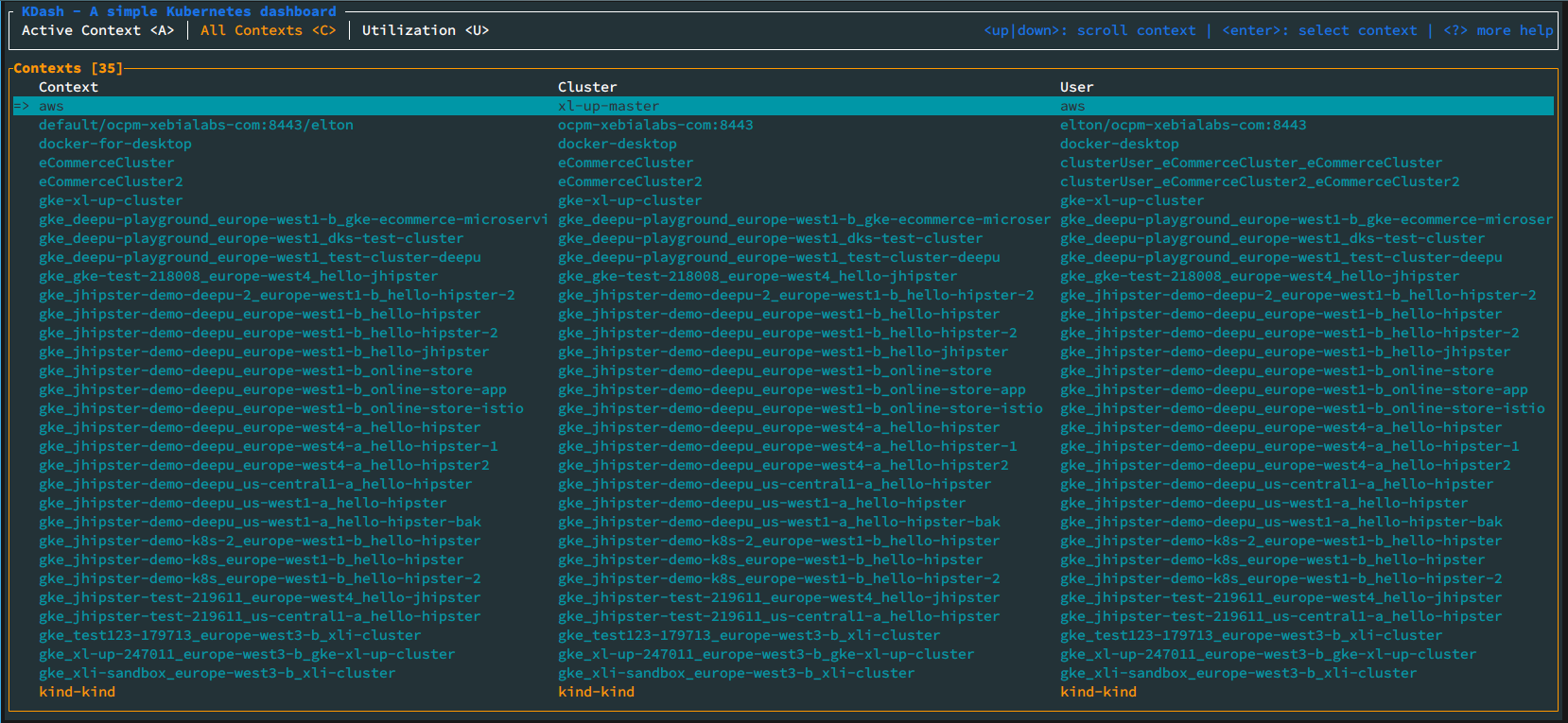
- Context management shows context info, watches for changes, and lets you switch context or change namespace.
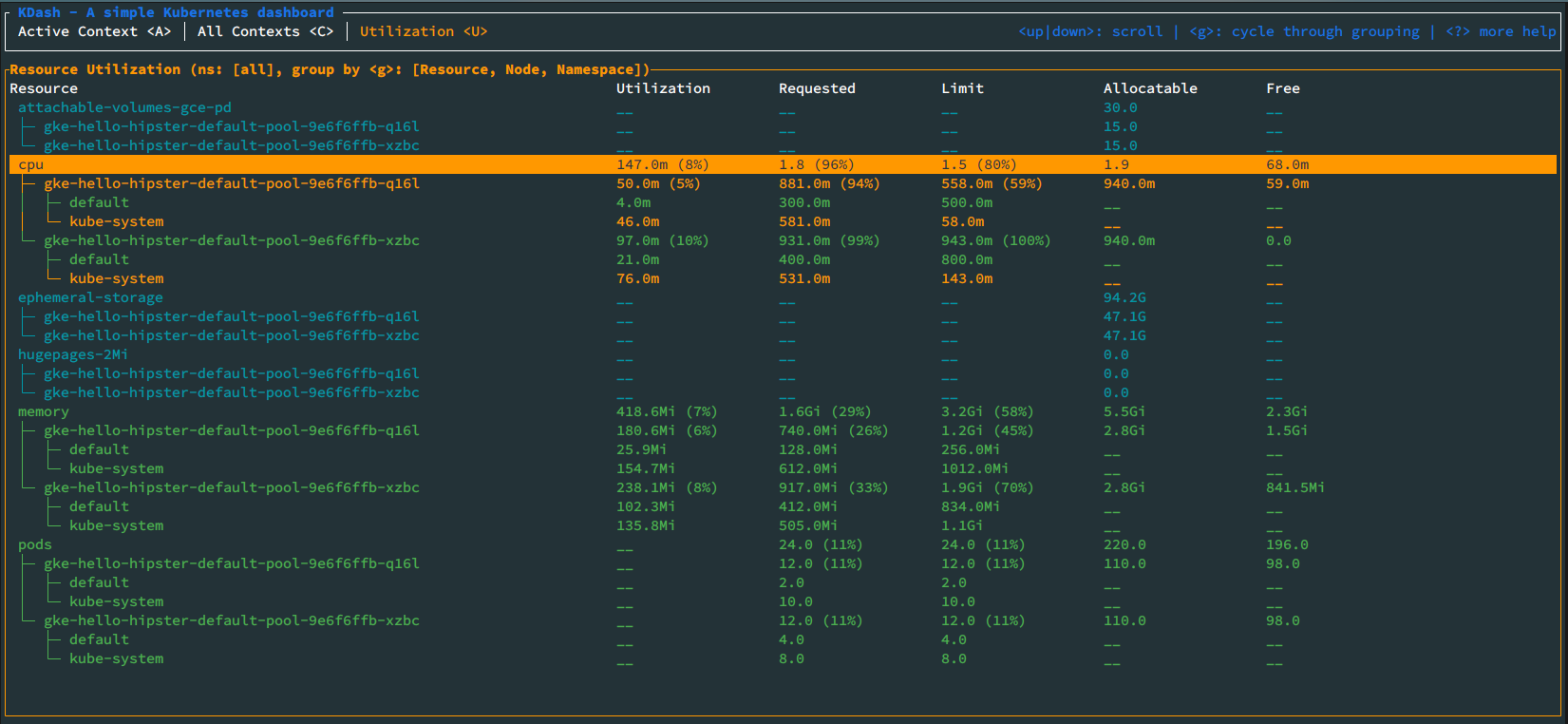
- Resource metrics and utilization for nodes, pods, and namespaces, with grouping. Requires metrics-server on the cluster.
- Resource tables show counts in tabs and menus (hiding zero-count badges), cache counts with
?for not-yet-fetched Dynamic kinds, and reveal all columns withwwhen the viewport is wide enough. - Inline
/filtering works across resource tables and views, including Contexts, Help, Utilization, Troubleshoot, More, and Dynamic resource menus. - Built-in themes include Catppuccin Macchiato/Latte, Gruvbox Dark, Solarized Dark, and Mono, plus an optional custom theme, cycled at runtime with
t/Alt+t. - Configurable and keyboard-driven with sensible default shortcuts you can override, theme overrides, and a configurable initial log history (
log_tail_lines). - Diagnostics and reliability include dumping recent errors to a file, live kubeconfig reload, friendlier error messages, and smooth log and render performance.
Screenshots
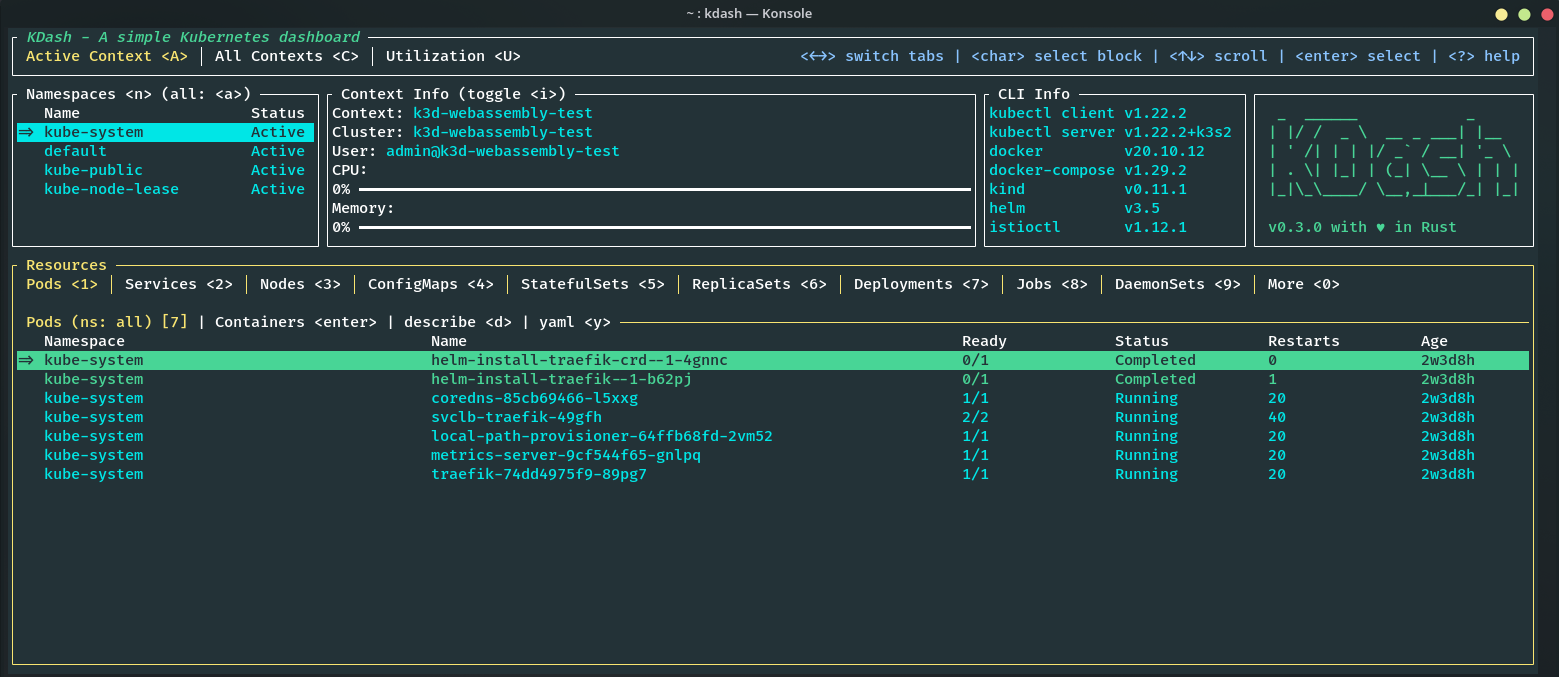
Overview screen
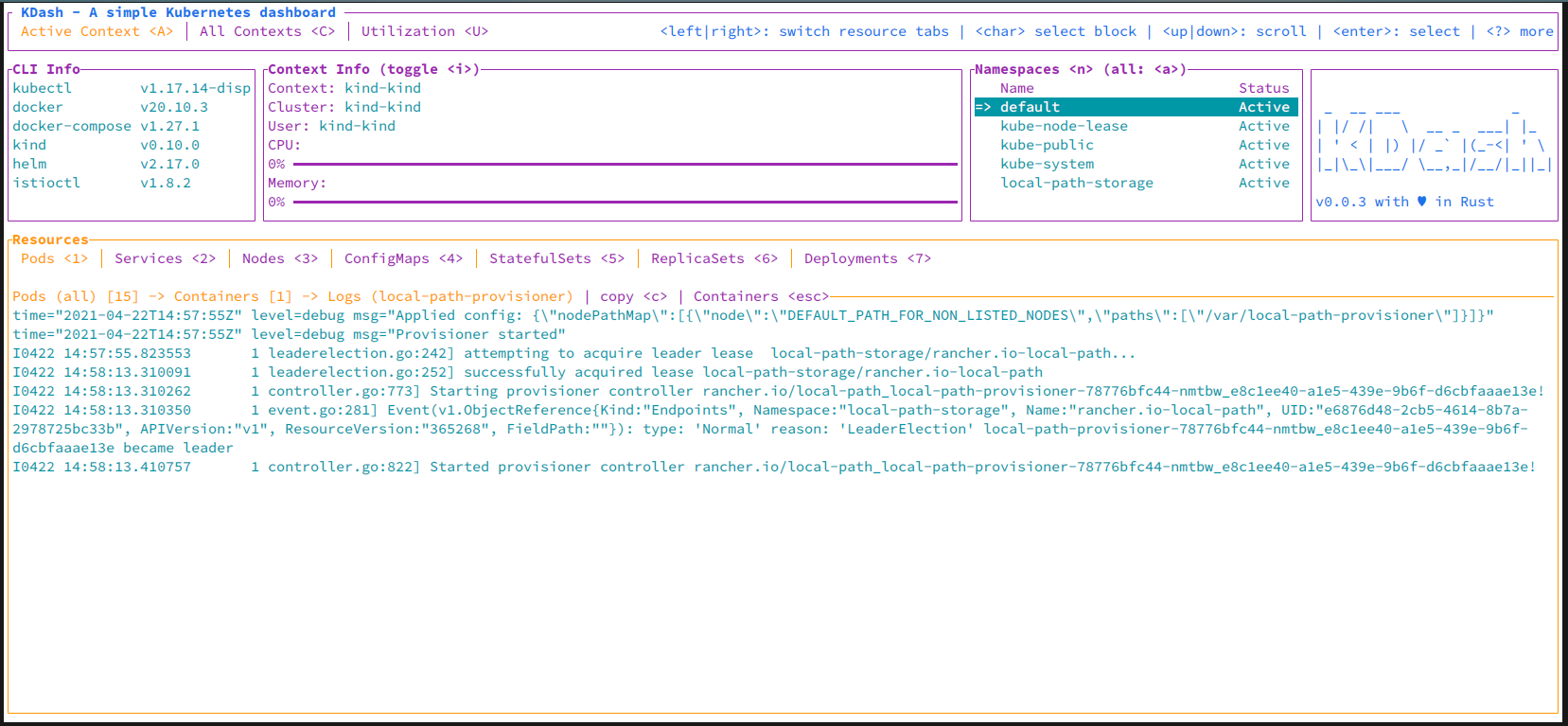
Container logs screen (light theme)
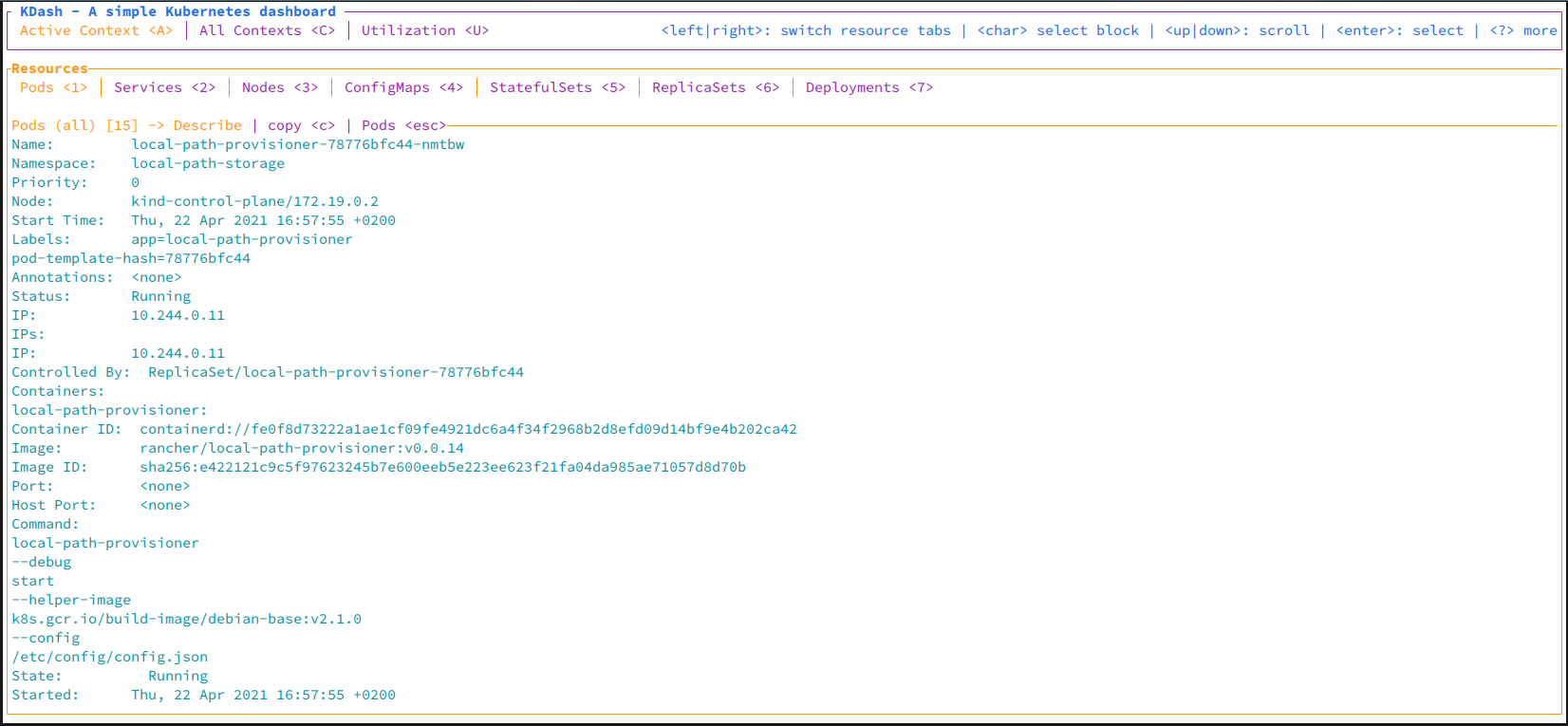
Pod describe screen (light theme)
Contexts screen
Utilization screen
Libraries used
Licence
MIT
Terms of use
- The Software shall be used for Good, not Evil.
- This software shall not be used for any military purposes including intelligence agencies.